AI Workers for Accounting Documents Processing
Automate accounting workflows with AI Workers built on Docy AI’s compliance-grade infrastructure.
Reduce manual work, eliminate errors, and deliver accurate financial outputs at scale — across bookkeeping, payroll, tax compliance, reconciliations, and client onboarding.
HOW it works
What AI Workers Can Do in Accounting
Docy AI Workers automate the work with audit-grade accuracy, making them ideal for regulated financial environments.
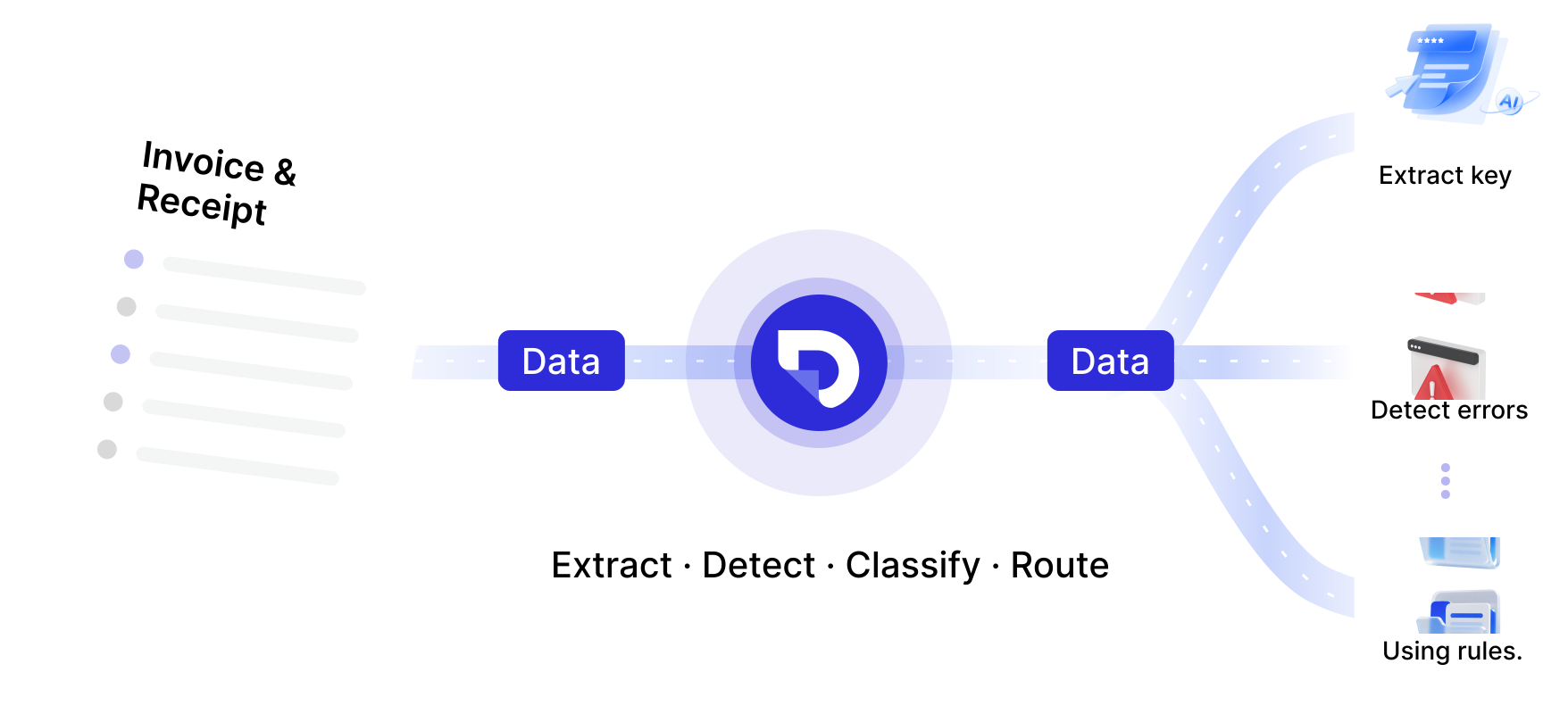
Invoice & Receipt Processing
AI Workers extract key fields, detect errors, classify expenses, and route documents using accounting rules.
Bank Statement to Excel/CSV Conversion.
AI Workers extract structured data from PDFs, scans, and multi-page statements — ready for Xero, MYOB, QuickBooks, or your own system

-Multi-bank support
-Handles messy or scanned PDFs
-Categorises transactions using rules


Automated Transaction Reconciliations
AI Workers compare statements, invoices,      receipts, or ledgers to detect mismatches and missing entries.

-Identify duplicates, gaps, exceptions
-Generate reconciliation summaries
-Reduce manual checking workloads
Payroll & Employee Document Processing
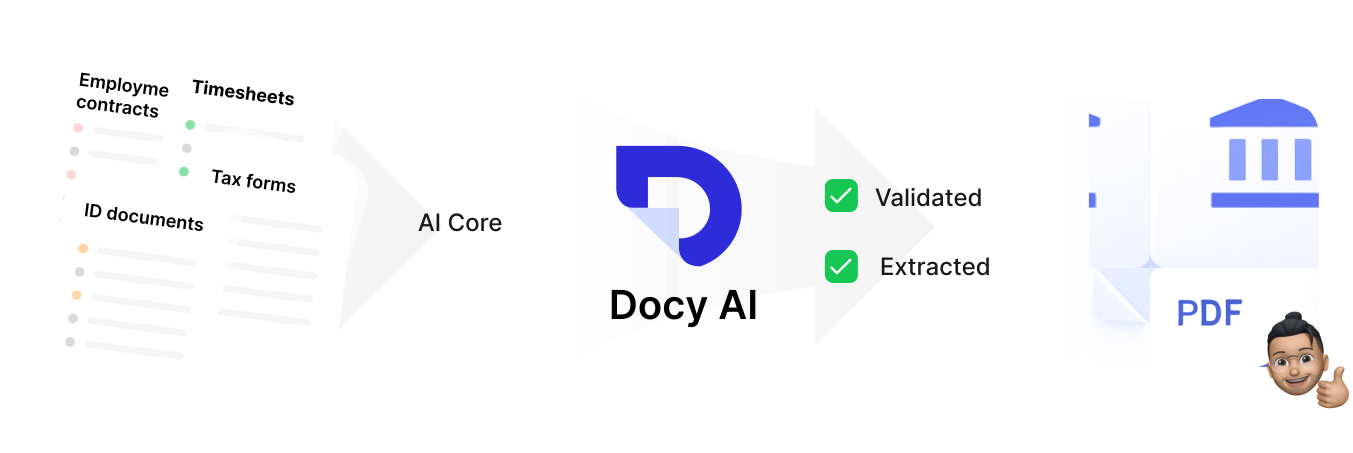
Automate validation and extraction of payroll documents:
-Timesheets
-Employment contracts
-ID documents
-Tax forms / declaration

AI Workers check completeness, ensure compliance, and prepare data for payroll systems.

Client Onboarding and Compliance Checks
AI Workers support KYC-style document workflows:

-Validate forms

-Extract client details

-Check missing fields

-Ensure accuracy before entering your system

Perfect for firms managing large onboarding volumes.
Why Accountants Choose Docy AI

Accounting Manager, SME Client
“Docy AI turned hours of manual bank statement work into minutes — now reconciliation is almost instant.”
Built for Accounting Firms, Bookkeepers, CFO Offices & Compliance Teams
Compliance-Grade Accuracy
AI Workers follow accounting rules and pre-built logic with audit-ready traceability.
Fast Deployment
Deploy your first AI Worker in hours, not weeks — using prebuilt templates or the no-code builder.
Replace BPO or Manual Processing
AI Workers allow firms to scale without adding headcount, with predictable outcome-based or fixed-cost pricing.
Works With Your Existing Tools
Xero, MYOB, QuickBooks, internal AP/AR systems, CRMs, and workflow tools.
FAQ
What accounting tasks can AI Workers automate?
AI Workers can automate bookkeeping tasks such as bank statement extraction, invoice       processing, expense categorisation, reconciliations, payroll document checks,             tax preparation, and onboarding of new clients.

They handle repetitive, document-heavy tasks with audit-grade consistency.
How accurate are Docy AI Workers for accounting workflows?
Dcoy AI Workers deliver 95–99%+ accuracy depending on the workflow.
Docy AI’s infrastructure enforces validation rules, consistency checks, and audit logs to ensure outputs meet accounting and compliance standards.
Can AI Workers replace offshore bookkeeping or data-entry teams?
Yes. Many accounting firms can use AI Workers to replace or reduce BPO labor for:
-data extraction
-reconciliations
-invoice/receipt processing
-payroll document checks
-compliance paperwork
AI Workers offer predictable costs, instant scalability, and fewer errors than manual processing.
Does Docy AI integrate with Xero, MYOB, QuickBooks, or other systems?
Yes.Docy AI Workers export structured accounting data that can be pushed into systems like Xero, MYOB, and QuickBooks, or your internal tools via API integration, CSV/JSON exports and Automated workflows. Can Docy AI Workers handle scanned or low-quality bank statements?
Yes. Docy AI Workers can read:
-scanned PDFs
-images
-multi-page statements
-bank formats with inconsistent layouts
They convert them into clean, structured, machine-ready data suitable for reconciliation.
How do Docy AI Workers help with reconciliations?
Docy AI Workers:
-match transactions across documents
-detect missing or duplicate entries
-identify mismatches
-generate reconciliation summaries

This eliminates hours of manual comparison for accountants and bookkeepers.
Is Docy AI secure for financial documents?
Absolutely. Docy AI follows compliance-grade security:
-encrypted processing
-data residency options
-audit logs
-role-based access
-enterprise infrastructure

Built for teams handling confidential financial data.
How do accounting firms get started with Docy AI?
Most firms follow a simple path:
1.Start with a bank statement or invoice extraction AI Worker
2.Expand to reconciliations, payroll checks, or BAS preparation
3.Integrate AI Workers into daily operations

Deployment typically takes hours to days, not months.
How does pricing work for accounting workflows?
Docy AI supports:
✔ Outcome-based pricing — pay only for completed jobs (e.g., per bank statement, per      invoice, per reconciliation)
✔ Fixed monthly AI Worker plans — designed to replace bookkeeping/BPO headcount with a    predictable cost.
-
Deploy your first AI Worker
Start Automating Your Accounting Workflows
Reduce manual work, eliminate errors, and deliver accurate financial outputs at scale — across bookkeeping, payroll, tax compliance, reconciliations, and client onboarding.